
How Do I Rank on Google?
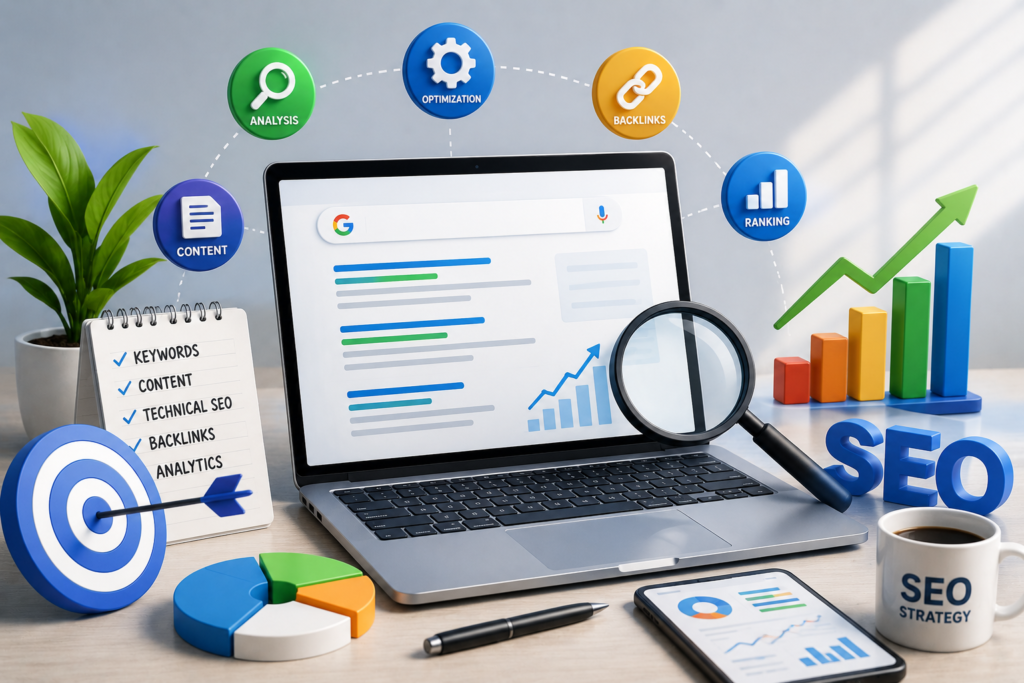
If you’re asking “How do I rank on Google?”, the short answer is: create genuinely useful content for a specific search intent, make your website easy for Google to crawl and understand, build relevant authority, and continuously improve based on Search Console data.
There isn’t one trick that guarantees a #1 position. Google explains that Search works through crawling, indexing, and serving relevant results, and not every page that is crawled will necessarily be indexed or shown for a particular search. (Google for Developers)
The good news is that SEO becomes much easier when you stop thinking about rankings as a single task and start treating it as a system.
This guide explains exactly what that system looks like.
Table of Contents
- What Does It Mean to Rank on Google?
- How Google Finds and Ranks Pages
- The 8 Core Things You Need to Rank
- Step 1: Choose the Right Keyword
- Step 2: Understand Search Intent
- Step 3: Create Better Content
- Step 4: Optimize Your Page
- Step 5: Improve Technical SEO
- Step 6: Build Internal Links
- Step 7: Earn Quality Backlinks
- Step 8: Improve Page Experience
- Google Search Console for SEO
- How Long Does Google Ranking Take?
- Common SEO Mistakes
- What About AI-Generated Content?
- A 90-Day SEO Roadmap
- SEO Checklist
- Frequently Asked Questions
- Conclusion
Key Takeaways
- There is no guaranteed shortcut to Google’s first position.
- Start with search intent, not keywords alone.
- Create content that is substantially useful and original.
- Make important pages crawlable, indexable, mobile-friendly, and technically accessible.
- Use descriptive titles, headings, links, and image alt text where appropriate.
- Build internal links between related pages.
- Earn relevant, trustworthy backlinks instead of buying or creating spammy links.
- Use Google Search Console to discover queries, impressions, clicks, CTR, and page performance.
- Improve existing pages instead of constantly publishing new ones.
- Focus on satisfying users rather than writing content only to manipulate search rankings.
1. What Does It Mean to Rank on Google?
Ranking on Google means having a webpage appear in Google’s search results for a particular query. Your position can vary by query, location, device, language, search features, and other factors. SEO improves your chances of being discovered by helping search engines understand your content and helping users find it useful.
For example, suppose you have a website about digital marketing.
You might want to rank for:
- digital marketing course
- SEO course in Jalandhar
- how to run Google Ads
- how to create Instagram Reels
- digital marketing career
- Meta Ads vs Google Ads
Each query represents a different opportunity.
But ranking isn’t simply about putting the keyword on a page 20 times.
Google’s guidance specifically recommends creating helpful, reliable, people-first content and using words people would actually search for in prominent locations such as titles and headings. (Google for Developers)
The real SEO objective
Think of SEO as:
Right topic → Right search intent → Helpful page → Good technical accessibility → Relevant authority → Continuous improvement
That is much more useful than:
Keyword → Article → Backlinks → #1
Key Takeaway
Don’t ask only:
“What keyword should I rank for?”
Also ask:
“What does someone searching this keyword actually need?”
2. How Does Google Decide Which Pages to Show?
Google Search operates through three broad stages:
- Crawling
- Indexing
- Serving search results
During crawling, Google discovers and downloads pages. During indexing, it analyzes the page and stores information about it. When someone searches, Google’s systems determine which information is relevant to that query and serve results. (Google for Developers)
Crawling
Googlebot needs to be able to access your page.
Potential problems include:
- Server errors
- Incorrect robots.txt rules
- Broken links
- Poor site architecture
- Pages that aren’t discoverable through links
Indexing
Being crawled does not automatically mean your page will rank.
Google needs to understand the page, determine what it is about, and handle issues such as duplicates and canonical URLs. (Google for Developers)
Ranking and serving
When a user searches, Google attempts to return useful results that match the query.
This means your job isn’t simply to make Google discover a URL.
Your job is to create a page that deserves to be shown.
Key Takeaway
Crawling gets Google to your page. Indexing helps Google understand it. Search ranking determines whether and where it appears for relevant queries.
3. The 8 Core Things You Need to Rank
A practical SEO strategy should cover these eight areas:
| SEO Area | What You Need to Do |
| Search intent | Understand what users want |
| Content | Provide useful, original information |
| On-page SEO | Optimize titles, headings, URLs and links |
| Technical SEO | Make pages accessible and indexable |
| Internal linking | Connect related pages |
| Backlinks | Earn relevant external references |
| Page experience | Make the site usable across devices |
| Measurement | Use data to identify improvements |
No single item guarantees a ranking.
Google’s Search Essentials emphasizes helpful content, descriptive language, technical accessibility, and avoiding spam practices. (Google for Developers)
4. Step 1: Choose the Right Keyword
Choose keywords based on relevance, search intent, business value, and your ability to create a genuinely useful page. Don’t choose a keyword simply because it has high search volume. A highly relevant lower-volume query can be more valuable than a broad keyword that attracts the wrong audience.
For example, imagine you’re promoting digital marketing training.
Instead of targeting only:
digital marketing
you could target more specific searches such as:
digital marketing course in Jalandhar
or:
how to learn digital marketing as a beginner
or:
digital marketing course online for beginners
These searches have different intent.
A simple keyword framework
Evaluate every keyword using four questions:
1. Is it relevant?
Would the person searching this query actually benefit from your website?
2. Does it have the right intent?
Is the person looking for:
- Information?
- A product?
- A service?
- A course?
- A local business?
3. Can you create a better page?
If the current results already answer the question extremely well, ask what additional value you can provide.
4. Does it support your business?
Traffic isn’t the only objective.
A keyword bringing 100 highly relevant visitors can sometimes be more useful than a broad keyword bringing thousands of unrelated visitors.
Keyword mapping
Don’t make five pages target exactly the same search intent.
Instead:
| Page | Primary Topic |
| Homepage | Digital marketing services/training |
| Course page | Digital marketing course |
| Blog 1 | How to learn digital marketing |
| Blog 2 | Digital marketing career |
| Blog 3 | SEO vs paid advertising |
| Blog 4 | Google Ads beginner guide |
This creates a clearer content structure.
Key Takeaway
Choose keywords based on user needs and business relevance, not search volume alone.
5. Step 2: Understand Search Intent
Search intent is the reason behind a search.
Consider:
“Google Ads”
This could mean many things.
The user might want:
- A definition
- A tutorial
- The Google Ads platform
- Training
- An agency
- Pricing information
Now consider:
“How to create a Google Ads campaign”
The intent is much clearer.
The user wants instructions.
Four common search intents
Informational
The user wants to learn something.
Examples:
- What is SEO?
- How does Google Ads work?
- What is Meta Ads?
Commercial investigation
The user is comparing options.
Examples:
- HubSpot Academy vs Udemy
- Google Ads vs Meta Ads
- Best SEO tools
Transactional
The user is ready to take action.
Examples:
- Buy SEO software
- Join digital marketing course
- Hire SEO agency
Navigational
The user wants a specific website or destination.
Examples:
- Google Search Console
- YouTube
- HubSpot Academy
Pro Tip
Before writing an article, search the target query yourself.
Look at:
- The type of pages Google displays
- The questions being answered
- The depth of competing pages
- Search features
- Whether the results are mostly guides, product pages, videos, local results, etc.
Then create a page that genuinely satisfies that intent.
Key Takeaway
A page can be well-written and still struggle if it doesn’t match what searchers are actually looking for.

6. Step 3: Create Content That Deserves to Rank
The strongest SEO content answers the user’s question clearly, provides useful information beyond the obvious, demonstrates appropriate expertise, and leaves the reader satisfied. Google recommends people-first content rather than content primarily created to manipulate rankings. (Google for Developers)
This is where many websites make their biggest mistake.
They create:
“SEO-friendly content”
instead of:
“Content that solves the user’s problem.”
What makes content genuinely useful?
Include:
- Clear explanations
- Practical examples
- Original observations
- Screenshots where useful
- Step-by-step instructions
- Comparisons
- Checklists
- Mistakes to avoid
- Expert commentary
- Updated information
- Relevant sources
- Real examples
Google’s people-first guidance asks whether content provides original information, substantial coverage, insightful analysis, and more value than other pages in Search. (Google for Developers)
Don’t write simply to hit a word count
A 2,000-word article isn’t automatically better than a 900-word article.
Google explicitly says not to write to a particular word count because you believe Google has a preferred length. (Google for Developers)
Instead ask:
“Has the reader got everything they need to accomplish their goal?”
Example
Bad:
SEO is important for businesses. SEO helps websites get traffic from Google. Businesses should use SEO to increase visibility.
Better:
If a local training institute wants more organic leads, its SEO strategy should begin with pages matching the searches potential students actually make. A course page can target the training service, while supporting articles answer questions about course duration, skills, fees, career options and practical projects.
The second example provides a direction the reader can actually use.
Key Takeaway
Don’t make content longer just to make it longer. Make it more useful.
7. Step 4: Optimize Your Page
Once you’ve created useful content, make it easy for both users and search engines to understand.
Optimize your title
Your title should be:
- Clear
- Specific
- Unique
- Relevant
- Concise
- Accurate
Google recommends descriptive, helpful titles rather than exaggerated or shocking titles. (Google for Developers)
Weak title
SEO Tips
Better title
How to Rank on Google: A Beginner’s SEO Guide
The second tells users exactly what they’re getting.
Write a useful meta description
A meta description can help summarize your page.
For example:
Learn how to rank on Google with practical SEO strategies for content, keywords, technical SEO, backlinks, indexing, and Search Console.
Google may use the meta description when generating the search snippet, although the snippet can also be generated from page content. (Google for Developers)
Use descriptive headings
Structure your article with:
H1
├── H2
│ ├── H3
│ └── H3
├── H2
│ ├── H3
│ └── H3
└── H2
Don’t use headings simply to insert keywords.
Use them to organize information.
Optimize URLs
Prefer:
example.com/how-to-rank-on-google
over:
example.com/page?id=5839
A short, descriptive URL helps communicate what the page is about.
Optimize images
Use:
- Relevant filenames
- Appropriate dimensions
- Compression
- Descriptive alt text where appropriate
- Images near relevant content
Google’s SEO documentation recommends high-quality images placed near relevant text so users and search engines can better understand them. (Google for Developers)
Key Takeaway
On-page SEO isn’t about inserting keywords everywhere. It’s about making the page’s topic and structure obvious.
8. Step 5: Improve Technical SEO
Technical SEO sounds complicated, but beginners can start with a relatively small checklist.
Check these areas
Is your website crawlable?
Make sure important pages aren’t accidentally blocked.
Can Google index important pages?
Check individual URLs in Google Search Console.
Does your website work on mobile?
Google uses the mobile version of a site’s content for indexing and ranking, so mobile usability matters. (Google for Developers)
Does your site load properly?
Users should be able to access the main content without unnecessary friction.
Are important resources accessible?
Google recommends making sure resources such as images and CSS that Google needs to understand the page aren’t blocked. (Google for Developers)
Do you have duplicate pages?
Use appropriate canonicalization when necessary.
Is your site secure?
HTTPS should be standard.
9. Step 6: Build a Strong Internal Linking Structure
Internal links are links from one page on your website to another page on the same website.
For example:
Digital Marketing Course
↓
SEO Course
↓
How to Learn SEO
↓
SEO Tools for Beginners
This creates relationships between related content.
Good internal links
Instead of:
Click here
use descriptive anchor text such as:
Learn more about our digital marketing course in Jalandhar.
Google’s Search Essentials recommends using words people would use to search for your content in descriptive locations such as link text. (Google for Developers)
Create topic clusters
Suppose your website focuses on digital marketing.
A pillar page could be:
Digital Marketing Course
Supporting content:
- What is digital marketing?
- How to learn digital marketing
- SEO vs PPC
- How Google Ads works
- How Meta Ads works
- Social media marketing guide
- Content marketing guide
- Digital marketing career guide
Connect these pages naturally.
Key Takeaway
Internal linking helps users discover related information and creates a clearer site structure.
10. Step 7: Earn Quality Backlinks
A backlink is a link from another website to your website. The goal should be to earn relevant, trustworthy links because other sites genuinely find your content useful—not to create links primarily to manipulate rankings. Google’s spam policies specifically identify link spam as a manipulation tactic. (Google for Developers)
Better ways to earn links
Create something worth referencing:
- Original research
- Useful statistics
- Free resources
- Detailed guides
- Templates
- Case studies
- Original graphics
- Industry analysis
- Tools
- Expert interviews
You can also promote your content through legitimate channels where appropriate.
What to avoid
Don’t build hundreds of low-quality links simply because a service promises:
“1000 backlinks for ₹500.”
Quantity isn’t a substitute for relevance and trust.
Google’s spam policies identify links created primarily to manipulate rankings as link spam. (Google for Developers)
Backlink quality checklist
Before pursuing a link, ask:
- Is the website relevant?
- Is the page useful to its readers?
- Would I want this link even if Google didn’t exist?
- Is the link editorially justified?
- Is the website legitimate?
- Am I paying primarily to manipulate ranking signals?
If the link makes sense only because you want to manipulate rankings, reconsider it.
Key Takeaway
Think “earn references,” not “collect backlinks.”
11. Step 8: Improve Page Experience
SEO doesn’t end when someone clicks your result.
Imagine your page ranks well but:
- Takes forever to load
- Is difficult to read
- Has intrusive popups
- Doesn’t work properly on mobile
- Hides the answer under advertisements
- Has broken buttons
Users may leave.
Google says its core ranking systems aim to reward content that provides a good overall page experience. (Google for Developers)
Practical page-experience checklist
- Mobile-friendly layout
- Readable font
- Good contrast
- Fast loading
- HTTPS
- Easy navigation
- Clear content hierarchy
- No unnecessary intrusive elements
- Working links
- Useful images
- Clear calls to action
Key Takeaway
SEO brings people to your page; a good website experience gives them a reason to stay.
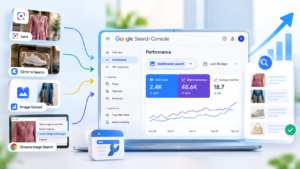
12. Google Search Console: Your Most Important Free SEO Dashboard
If you’re serious about ranking on Google, set up Google Search Console.
Search Console can show:
- Impressions
- Clicks
- CTR
- Average position
- Search queries
- Pages appearing in Search
- Countries
- Devices
- Search appearances
Google’s Performance report lets you analyze which queries and pages are bringing search traffic and identify pages with opportunities for improvement. (Google Help)
How to use it
Find pages getting impressions but few clicks
Go to:
Performance → Search results → Pages
Look for pages with:
- High impressions
- Relatively low CTR
Then examine:
- Title
- Search intent
- Meta description
- Content relevance
- SERP competition
Google specifically recommends using low-CTR pages as opportunities to evaluate titles, descriptions, and content alignment. (Google Help)
Find keywords you didn’t target
Open:
Performance → Queries
You may discover that a page appears for searches you didn’t intentionally optimize for.
For example, you write:
“How to Learn Digital Marketing”
But Search Console shows impressions for:
“digital marketing skills for beginners”
That is useful information.
You can potentially improve the article to answer that subtopic more effectively.
Key Takeaway
Don’t guess what Google users want forever. Use your Search Console data to discover what they’re actually searching for.
13. How Long Does It Take to Rank on Google?
There is no universal timeline.
A new website may need time to:
- Be discovered
- Be crawled
- Be indexed
- Build topical relevance
- Earn links and mentions
- Develop a history of useful content
- Compete against established websites
Some pages may gain visibility relatively quickly.
Others may take much longer.
And some may never rank for their intended query.
Google explicitly states that it doesn’t guarantee that pages following its guidelines will be crawled, indexed, or served in Search. (Google for Developers)
Don’t use this mindset:
“I published yesterday, so why am I not #1?”
Use this instead:
“What evidence do I have about how Google and users are responding to this page, and what can I improve?”
Key Takeaway
SEO is better viewed as a continuous improvement process than a one-time submission.
14. Common SEO Mistakes That Can Hurt Your Progress
Mistake 1: Keyword stuffing
Repeating:
digital marketing course, digital marketing course, digital marketing course…
doesn’t make content better.
Google explicitly defines keyword stuffing as filling pages with keywords or numbers in an attempt to manipulate rankings. (Google for Developers)
Better approach
Use natural language and cover the topic comprehensively.
Mistake 2: Creating dozens of low-value AI articles
AI can assist with research, outlining, editing, and drafting.
But publishing large quantities of unoriginal content simply to capture search traffic is risky.
Google’s current guidance emphasizes original, useful, people-first content and warns against scaled content abuse when content is produced primarily to manipulate Search. (Google for Developers)
Mistake 3: Copying competitors
Reading competing pages for research is useful.
Copying their structure, wording, examples, and ideas without adding meaningful value isn’t.
Ask:
What can my article teach that the current results don’t explain well?
Mistake 4: Publishing without search intent
A page can target the right words and still fail to satisfy the user’s goal.
Mistake 5: Ignoring existing pages
Many website owners constantly publish new articles while their existing pages have:
- Low CTR
- Outdated information
- Weak internal links
- Missing sections
- Poor titles
- Unclear intent
Improving an existing page can be more sensible than producing another similar article.
Mistake 6: Buying spammy backlinks
A huge backlink number isn’t automatically a competitive advantage.
Focus on relevance and legitimacy.
Mistake 7: Using the same keyword on every page
This can make your website’s architecture unclear.
Give important pages distinct purposes.
15. What About AI-Generated Content?
This is especially important now.
You can use AI as part of your content workflow, but don’t treat AI as an automatic replacement for research, expertise, editing, or originality.
Google’s guidance focuses on the quality and purpose of the content, not simply whether AI was involved. AI-assisted content still needs to meet Search Essentials and spam policies. (Google for Developers)
A better AI workflow
Step 1 — Human research
Understand the topic and audience.
Step 2 — Search analysis
Study what users actually need.
Step 3 — Build your own angle
Determine what useful information is missing.
Step 4 — AI assistance
Use AI for:
- Outlines
- Brainstorming
- Editing
- Content organization
- Simplifying explanations
Step 5 — Human verification
Check:
- Facts
- Claims
- Examples
- Sources
- Current information
Step 6 — Add original value
Include:
- Your observations
- Screenshots
- Examples
- Data
- Case studies
- Practical experiences
- Unique frameworks
Step 7 — Final editorial review
Ask:
“Would I recommend this article to a real person?”
Google’s people-first guidance encourages creators to consider who created the content, how it was produced, and why it exists. (Google for Developers)
Key Takeaway
AI can help you create content faster. It shouldn’t be an excuse to publish content without value.
16. A Practical 90-Day SEO Roadmap
Instead of trying everything at once, use a staged approach.
Days 1–30: Build the foundation
Technical
- Set up Google Search Console
- Submit your sitemap where appropriate
- Check indexing
- Check mobile usability
- Fix major technical errors
- Ensure important pages are crawlable
Content
Identify:
- Main services
- Main topics
- Target audience
- Search intent
- Priority keywords
Create or improve your most important pages.
Days 31–60: Build topical depth
Create supporting content around your core topics.
For a digital marketing website, this could include:
SEO
- What is SEO?
- How Google Search works
- Keyword research guide
- On-page SEO guide
- Technical SEO basics
Paid advertising
- What is Google Ads?
- What is Meta Ads?
- Google Ads vs Meta Ads
- How to create a campaign
Content
- How to create Instagram Reels
- Content strategy for beginners
- Video editing basics
- Content creation tools
Connect related pages using internal links.
Days 61–90: Improve and promote
Use Search Console to identify:
- High-impression pages
- Low-CTR pages
- New queries
- Pages gaining clicks
- Pages losing visibility
Then:
- Improve weak titles.
- Expand missing sections.
- Improve internal linking.
- Update outdated information.
- Add original examples.
- Promote genuinely useful content.
- Work toward earning relevant mentions and links.
Google recommends looking at trends in clicks and impressions rather than focusing only on average position. (Google Help)
17. Beginner SEO Checklist
Before publishing a page, check:
Search Intent
- Do I understand the user’s question?
- Does my page answer it directly?
- Is my content format appropriate for the query?
Content
- Is the information accurate?
- Does it add something useful?
- Are examples included?
- Are important questions answered?
- Is unnecessary filler removed?
On-Page SEO
- Unique title
- Clear H1
- Logical H2/H3 structure
- Descriptive URL
- Useful meta description
- Natural keyword usage
- Relevant internal links
- Descriptive image alt text where appropriate
Technical SEO
- Page is accessible
- Important content is crawlable
- Page can be indexed
- Mobile experience works
- HTTPS works
- No major broken links
Authority
- Relevant external sources where appropriate
- Opportunities for genuine backlinks
- Author/about information where useful
- Clear business information
Measurement
- Google Search Console configured
- Performance monitored
- Pages reviewed periodically
- Search queries analyzed
18. What Should You Prioritize First?
If you’re a complete beginner, don’t try to implement 100 SEO tactics.
Use this order:
Priority 1 — Make the website accessible
Google needs to be able to discover and understand your pages.
Priority 2 — Build useful pages
Create content for actual users.
Priority 3 — Match search intent
Make sure every page solves the right problem.
Priority 4 — Improve on-page SEO
Titles, headings, URLs, links and images.
Priority 5 — Build internal links
Connect related content.
Priority 6 — Build authority
Earn relevant mentions and backlinks.
Priority 7 — Measure and improve
Use Search Console data.
This approach is far more sustainable than chasing every SEO trend.
19. Myth vs Fact
| Myth | Fact |
| More keywords automatically mean higher rankings | Keyword stuffing can be considered spam |
| More words always rank better | Google says there is no preferred word count |
| You need thousands of backlinks | Relevance and legitimate value matter more than raw quantity |
| AI content automatically gets penalized | The focus is on quality, usefulness and spam policies |
| Submitting a URL guarantees ranking | Google doesn’t guarantee crawling, indexing or serving |
| Publishing every day guarantees SEO growth | Quantity alone doesn’t create useful content |
| #1 ranking is permanent | Search results can change over time |
| SEO is only about keywords | Technical, content, links, intent and user experience all matter |
Google’s documentation directly emphasizes people-first content and says there is no preferred word count for ranking. (Google for Developers)
20. A Simple SEO Decision Framework
Before creating any new page, ask these seven questions:
1. Who is this page for?
↓
2. What problem are they trying to solve?
↓
3. What search query represents that problem?
↓
4. What do current results fail to explain well?
↓
5. What unique value can I add?
↓
6. Can Google easily crawl and understand the page?
↓
7. How will I measure whether the page is improving?
If you can’t answer these questions, the page probably needs more planning before publication.

21. Frequently Asked Questions
1. How do I rank #1 on Google?
There is no guaranteed method for reaching #1. Focus on satisfying search intent, creating useful content, maintaining a technically accessible website, building relevant authority and continuously improving based on performance data.
2. How long does SEO take to work?
There is no fixed timeline. Results depend on the website, competition, query, content quality, technical condition, authority and many other factors.
3. Can a new website rank on Google?
Yes, new websites can appear in Google Search, but competing for highly established queries can be difficult. Start with relevant topics where you can provide strong value.
4. Do I need backlinks to rank?
Backlinks can contribute to a website’s authority, but SEO isn’t simply a backlink-counting exercise. Focus on earning relevant, legitimate references.
5. Does keyword density matter?
Don’t target an arbitrary keyword density. Use terminology naturally and make the content useful.
6. How many keywords should one page target?
There is no fixed number. A strong page can naturally rank for many related searches because Google’s systems can understand relationships between queries and content. (Google for Developers)
7. Does longer content rank better?
Not automatically. Write enough to satisfy the user’s need. Google explicitly says there is no preferred word count. (Google for Developers)
8. Is Google Search Console free?
Yes. Google provides Search Console as a tool for website owners to monitor Search performance, including clicks, impressions, CTR and queries. (Google Help)
9. Can AI-written articles rank on Google?
AI assistance isn’t automatically the determining factor. Content still needs to meet Google’s quality and spam requirements and provide genuine value. (Google for Developers)
10. Should I publish blogs every day?
No. Publishing frequency by itself doesn’t guarantee better rankings. A smaller number of genuinely useful resources can be more valuable than large amounts of low-value content.
11. Should I buy backlinks?
Avoid buying links primarily to manipulate rankings. Google’s spam policies identify link spam as a prohibited manipulation practice. (Google for Developers)
12. How do I know whether my SEO is working?
Use Search Console to monitor impressions, clicks, CTR, queries and pages. Look for meaningful trends rather than obsessing over one ranking position. (Google Help)
13. Does changing my meta description improve rankings?
A meta description can influence how your search result snippet is presented and potentially its attractiveness to users, but it isn’t a magic ranking switch. Google may also generate a snippet from page content. (Google for Developers)
14. Should every blog have lots of keywords?
No. Write naturally around the topic and user intent. Excessive keyword repetition can become keyword stuffing. (Google for Developers)
15. Can I rank without paying Google?
Yes. Organic Search results aren’t something you purchase from Google. Google states that it doesn’t accept payment to crawl a site more frequently or rank it higher. (Google for Developers)
Conclusion: How Do I Rank on Google?
If you remember only one thing from this guide, remember this:
Don’t build a website for Google’s algorithm. Build the best useful answer for the person searching Google.
A sustainable SEO strategy starts with understanding what people want, creating content that genuinely solves their problems, making your website technically accessible, connecting related pages, earning legitimate authority and measuring the results.
For a website like Sikheya Digital Hub, that means you shouldn’t create dozens of generic articles simply because they contain popular SEO keywords.
Instead, build a useful digital-marketing resource:
Digital Marketing → SEO → Google Ads → Meta Ads → Content Creation → Video Editing → Career & Training
Each topic can have a clear purpose, and related pages can support one another through thoughtful internal linking.
Google’s current guidance strongly emphasizes helpful, reliable, people-first content and warns against content created primarily to manipulate rankings. (Google for Developers)
SEO is not a one-time trick.
It’s a process of:
Research → Create → Optimize → Measure → Improve → Repeat.
Want to Learn SEO Beyond Just Reading Blogs?
Ranking on Google requires more than knowing a few keywords. You need to understand keyword research, search intent, on-page SEO, technical SEO, Google Search Console, content strategy, analytics and practical optimization.
If you’re a beginner and want to build these skills step by step, explore Sikheya Digital Hub’s digital marketing training and learn how SEO fits into a complete digital marketing strategy.
Learn. Create. Grow
Related Topics
- Why Most Graduates Stay Unemployed Despite Having Degrees
- Top 10 AI Skills Students Must Learn
- Digital Marketing Career Guide
- How to Grow Your Business Online
- Meta Ads vs Google Ads
- How AI Search Is Changing Local SEO
- How AI Is Changing Google Search

Sikheya Digital Hub is a digital marketing institute and agency helping students, entrepreneurs and businesses learn and implement digital marketing, AI, social media marketing, SEO and online growth strategies.
Expertise
Digital Marketing
SEO
Social Media Marketing
Meta Ads
Google Ads
AI & Automation
Content Marketing



2 Comments