Search Engine Optimization (SEO) Starter Guide
SEO: Help Search Engines Understand Your Website
When you build a website, you usually create it with your users in mind. You want to make it easy for them to find, explore, and understand your content.
But your users aren’t the only ones who need to understand your website. Search engines are also important users of your website. Search engines help people discover your content and find websites that match what they are looking for.
SEO, short for Search Engine Optimization, is the process of helping search engines understand your content and helping users discover your website through search engines. It also helps users decide whether your website is relevant and useful enough to visit.
What Are Google Search Essentials?
Google Search Essentials outline the most important elements that can help make your website eligible to appear in Google Search.
Following the Search Essentials does not guarantee that your website will be added to Google’s index or appear in search results. However, websites that follow these guidelines are more likely to be eligible to appear in Google’s search results.
SEO takes this one step further. It focuses on improving your website’s presence in search results and making it easier for search engines and users to discover your content.
In this guide, we’ll cover some of the most common and effective improvements you can make to your website.
There Are No Secret Tricks to Rank #1
Let’s be clear: there are no secret techniques that can automatically rank your website first on Google.
Sorry! 😄
Some SEO recommendations may not be relevant to every business or website. That’s completely normal.
However, following SEO best practices can make it easier for search engines—not just Google—to:
- Crawl your website
- Discover and index your pages
- Understand your content
- Connect your content with relevant searches
- Help users discover your website
The goal of SEO isn’t to trick search engines. It’s about making your website easier for both search engines and people to understand and use.
How Does Google Search Work?
Google is a fully automated search engine that uses programs called crawlers to continuously explore the web and discover pages to add to its index.
Usually, you don’t need to do anything except publish your website online. Most websites that appear in Google Search are automatically discovered and added as Google crawls the web.
For more information, check Google’s guide on how Google discovers, crawls, and serves web pages.
How Long Until I See Impact in Search Results?
Changes to your website can take time to appear in Google Search. Some changes may take a few hours, while others can take several months.
In general, wait a few weeks before checking whether your changes are improving your search results. Keep in mind that not every change will have a noticeable impact. If you’re not satisfied with the results, keep testing and improving your website.
Help Google Find Your Content
First, check whether Google has already found your website. Search for your site using the site: search operator.
For example, search site:yourwebsite.com on Google. If your pages appear, your site is already indexed.
If your site doesn’t appear, check Google’s technical requirements to make sure nothing is preventing Google from accessing your website.
Google mainly discovers pages through links from other websites. You can also help people discover your content by promoting your website.
You can also submit a sitemap to help Google discover the important URLs on your website. Some CMS platforms may create a sitemap automatically.
Check How Google Sees Your Page
Google should ideally see your page in a similar way to a normal visitor. Make sure important resources such as CSS and JavaScript are accessible to Google.
You can check how Google views your page using the URL Inspection Tool in Search Console.
Don’t Want a Page in Google Search?
If you don’t want certain pages, files, or sections of your website to appear in Google Search, Google provides different options to control crawling and indexing.
Learn more about preventing content from appearing in search results.
Organize Your Website
A logical website structure helps both users and search engines understand how your pages are connected.
You don’t need to reorganize everything immediately. Focus on creating a clear structure as you build or improve your website.
Use Descriptive URLs
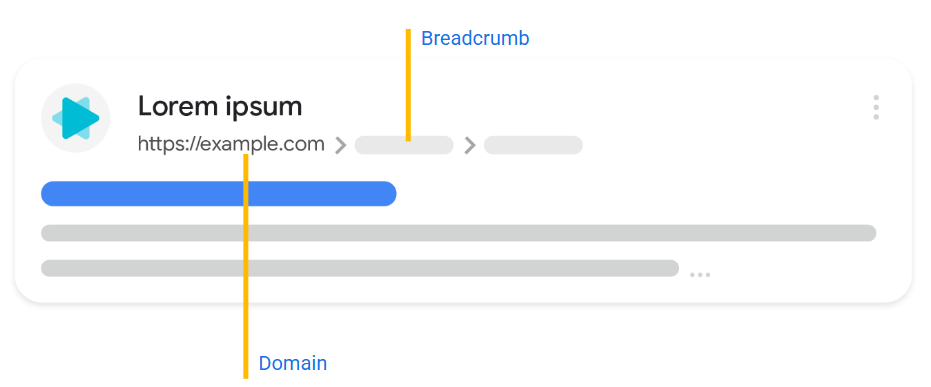
Parts of your URL can appear in Google Search as breadcrumbs. Clear and descriptive URLs help users understand what your page is about and whether it may be useful to them.
Use Clear and Meaningful URLs
Google can automatically understand breadcrumbs from the words used in your URL. You can also guide Google using structured data.
Try to use words in your URL that are useful and easy for users to understand.
Good example:https://www.example.com/pets/cats.html
A URL with random numbers or identifiers is less helpful for users.
Less helpful example:https://www.example.com/2/6772756D707920636174
Group Similar Pages Together
Keep pages with similar topics organized in the same directories. This makes your website easier for both users and search engines to understand.
Organize Your Website URLs
If your website has more than a few thousand URLs, organizing your content into directories (or folders) can help Google understand how often different sections of your website change.
For example:
https://www.example.com/policies/return-policy.htmlhttps://www.example.com/promotions/new-promos.html
The policies section may rarely change, while promotions may change frequently. Google can use this information to crawl different sections at different frequencies.
Learn more about ecommerce site structure.
Reduce Duplicate Content
Sometimes the same content is available through different URLs. This is called duplicate content.
Search engines usually choose one URL as the canonical URL to show users. Duplicate content is not a violation of Google’s spam policies, but it can create a poor user experience and may waste crawling resources.
Whenever possible, make sure each piece of content is accessible through one main URL. If multiple URLs contain the same information, you can:
- Use a redirect to the preferred URL.
- Or use the
rel="canonical"link element to specify the preferred URL.
Google can often identify the correct canonical URL automatically, but setting it yourself can make your website structure clearer.
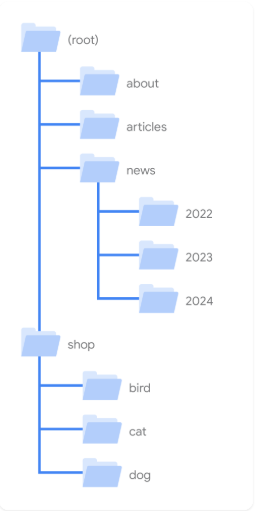
Make Your Site Interesting and Useful
Creating useful, relevant and engaging content can help improve your website’s presence in search results. Good content generally has these qualities:
- Easy to read and well organized: Write clearly, use short paragraphs, headings, and avoid spelling or grammatical mistakes.
- Unique content: Don’t copy content from other websites. Create original content based on your own knowledge and experience. Learn more about Google’s spam policies.
- Up-to-date content: Review your old content regularly and update or remove information that is no longer relevant.
- Helpful and reliable: Create content that genuinely helps readers. Adding expert or experienced sources can also improve trust. Learn more about helpful, reliable, people-first content.
Understand What Your Readers Search For
Think about the words people might use when searching for your content. Beginners and experienced users may use different search terms. Understanding these variations can help your content reach the right audience.
You don’t need to include every possible keyword. Google can understand the meaning of your content and match it with relevant searches.
Avoid Distracting Advertisements
Ads are a part of the internet, but they shouldn’t make your website difficult to use or prevent visitors from reading your content. Avoid intrusive ads and interstitial pages that interrupt the user experience.
Link to Relevant Resources
Use links to connect visitors and search engines to other useful pages on your website or relevant external resources. Links help Google discover new pages and can also provide additional information that supports your content.
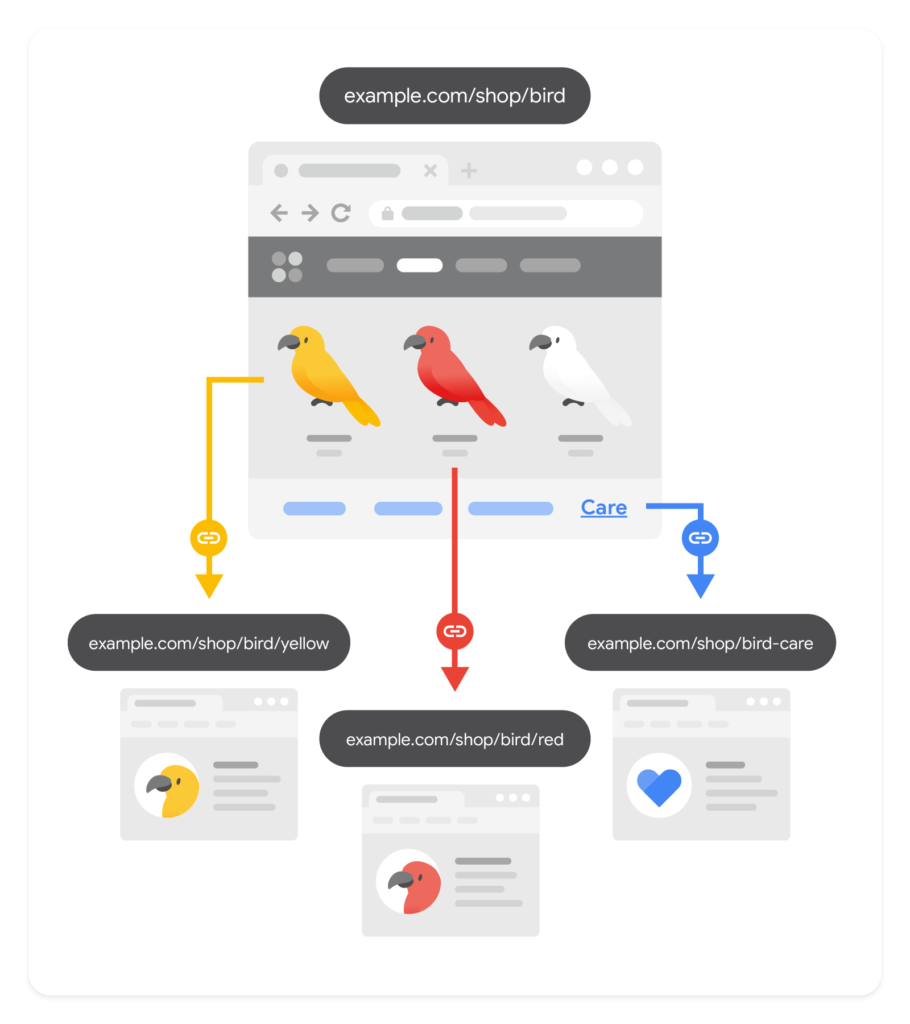
Write Good Link Text
Link text (also called anchor text) is the visible text of a link. It helps users and Google understand what the linked page is about before they visit it. Use appropriate anchor text to make your links clear and useful.
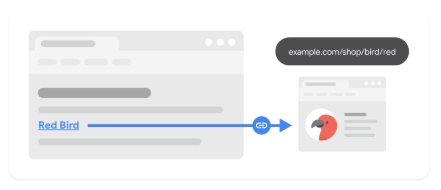
When to Use Links
Links can provide more context on a topic for both users and search engines. However, when linking to external websites, make sure you trust the resource. If you still want to link to an untrusted website, use a nofollow link to avoid search engines associating your website with that site.
For user-generated content such as forum posts or comments, make sure your CMS automatically adds nofollow or a similar annotation to user-posted links. This can help protect your website and discourage spam.
Influence How Your Site Looks in Google Search
When people search for your website on Google Search, they see different elements that can influence whether they click on your website.
In this section, we’ll focus on two important elements: Title Link and Snippet.
Influence Your Title Links
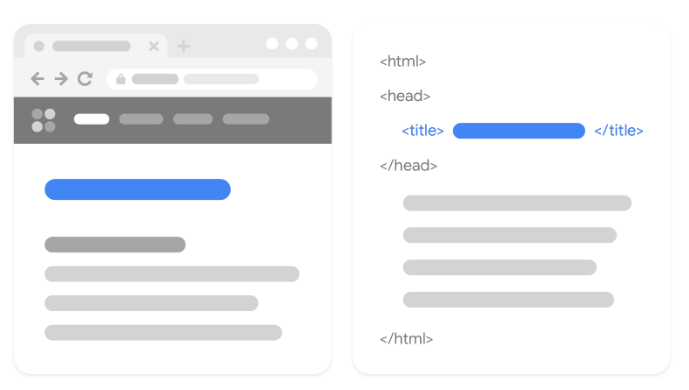
The title link is the headline shown in Google Search results. It helps people decide which result to click.
Google can generate this title from different parts of your page, including the <title> element (title text) and other headings on the page.
Your title text can also appear as the title in web browsers and bookmarks.
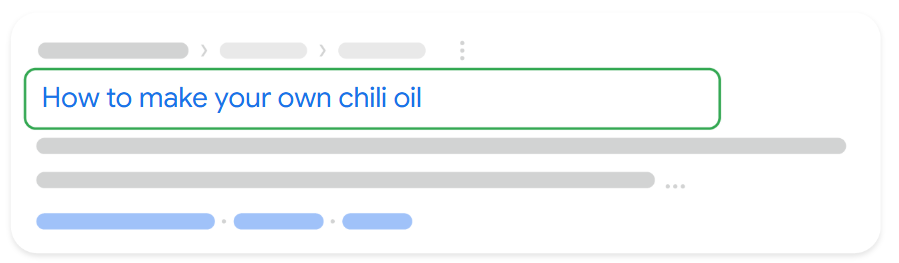
If you use a CMS, you usually don’t need to make technical changes to your titles. Just focus on writing clear and useful titles. Most CMS platforms automatically turn the titles you write into a <title> element in the HTML.
Improve Your Search Result Titles
You can influence how your page appears in Google Search by writing clear, unique, and relevant title links. A good title should accurately describe your page and may include your business name, location, or important page information.
👉 Learn more: Google’s Guide to Title Links
Control Your Search Snippets
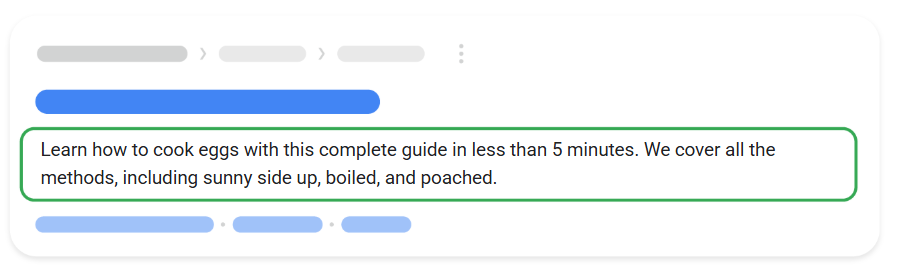
A snippet is the short description shown below your page title in search results. A clear and relevant snippet helps users understand your page and decide whether to click.
SEO Best Practices: Images, Videos & Website Promotion
1. Write Better Meta Descriptions
A good meta description should be short, unique, and relevant to the page. It should clearly tell users what they can expect from your content.
2. Optimize Your Images
Images can help people discover your website through Google Search.
- Use high-quality, clear images.
- Place images near relevant text.
- Add descriptive alt text so search engines can understand your images.
Learn more about Google’s Image SEO best practices.
3. Optimize Your Videos
If your website includes videos:
- Create high-quality videos.
- Embed videos on relevant pages.
- Use descriptive video titles and descriptions.
Learn more about Video SEO best practices.
4. Promote Your Website
Promoting your website can help more people discover your content.
You can use:
- Social media
- Community engagement
- Online and offline advertising
- Word of mouth
- Newsletters
However, avoid excessive promotion or practices designed to manipulate search rankings.
5. Don’t Focus on Outdated SEO Tricks
Some commonly discussed SEO practices are not major ranking factors:
- Meta keywords: Google Search doesn’t use the keywords meta tag.
- Keyword stuffing: Repeating keywords excessively can hurt the user experience and violates Google’s spam policies.
- Keywords in domain names: Choose a domain name that makes sense for your business.
- Content length: There is no magical minimum or maximum word count for Google rankings.
- Subdomains vs. subdirectories: Choose what works best for your website.
- PageRank: PageRank is only one part of Google’s many ranking systems.
- Duplicate content: Having the same content available at multiple URLs isn’t automatically a penalty.
- Number of headings: There is no ideal number of headings for a page.
- E-E-A-T: E-E-A-T itself is not a ranking factor.
6. Keep Improving Your SEO
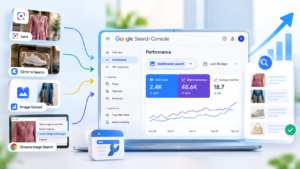
Use Google Search Console to monitor your website’s performance and identify opportunities to improve.
You can also explore Google Search Central for SEO guides, updates, videos, and helpful resources.

Sikheya Digital Hub is a digital marketing institute and agency helping students, entrepreneurs and businesses learn and implement digital marketing, AI, social media marketing, SEO and online growth strategies.
Expertise
Digital Marketing
SEO
Social Media Marketing
Meta Ads
Google Ads
AI & Automation
Content Marketing