Introducing Angie: Agentic AI for WordPress
Meet Angie — Your AI Assistant for WordPress
Angie is an agentic Angie Agentic AI for WordPress built specifically for WordPress. It understands your website, works with your existing tools, and can take real actions to help you build and manage your site.
Its first major capability, Angie Code, lets you describe the WordPress feature you want in simple language—and Angie can build it for you in minutes.
Whether you need a custom feature, functionality, or WordPress improvement, you can explain what you want without having to write the code yourself.
Build Faster. Test Safely. Launch with Confidence.
Angie creates production-ready WordPress features that are integrated with your existing website. You can test and review changes before they go live, helping you experiment without putting your live site at unnecessary risk.
With Angie, you can:
- Describe the WordPress feature you need in plain language
- Generate custom functionality without starting from scratch
- Connect AI with your WordPress tools and workflows
- Test changes before publishing them
- Build and customize your website faster
Think of Angie as an AI developer that works directly with your WordPress site—helping turn your ideas into working features.
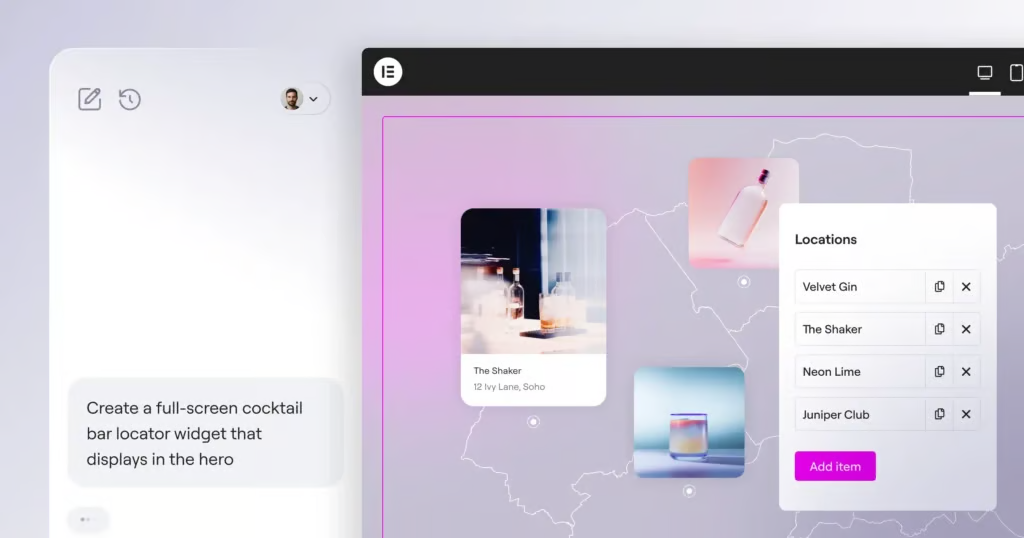
Image Source: Elementor
AI is transforming nearly every aspect of how we work—from writing and designing to developing software. Now, one of the world’s most widely used web platforms is taking another major step toward an AI-powered future.
WordPress powers more than 40% of websites across the internet. For millions of creators, developers, agencies, and businesses that depend on WordPress every day, the question is no longer whether AI will become part of the platform, but how deeply it will transform the way we build for the web.
Alongside the important work being carried out by the WordPress Core AI team, Elementor has been developing Angie, an agentic AI framework specifically designed for WordPress.
Angie is built to understand the context of your website, interact with WordPress tools, and perform real tasks on your behalf. It can help generate code, manage plugins, and execute automated workflows—bringing powerful AI capabilities directly into the WordPress environment where you already create and manage websites.
Introducing Angie Code
Today marks an important step forward with the introduction of Angie Code, the first major component of the Angie framework.
Angie Code is designed to help you create production-ready WordPress assets in minutes.
Instead of starting from scratch or spending hours writing custom code, you can simply describe what you want. Angie Code can then generate the required functionality inside a sandboxed testing environment.
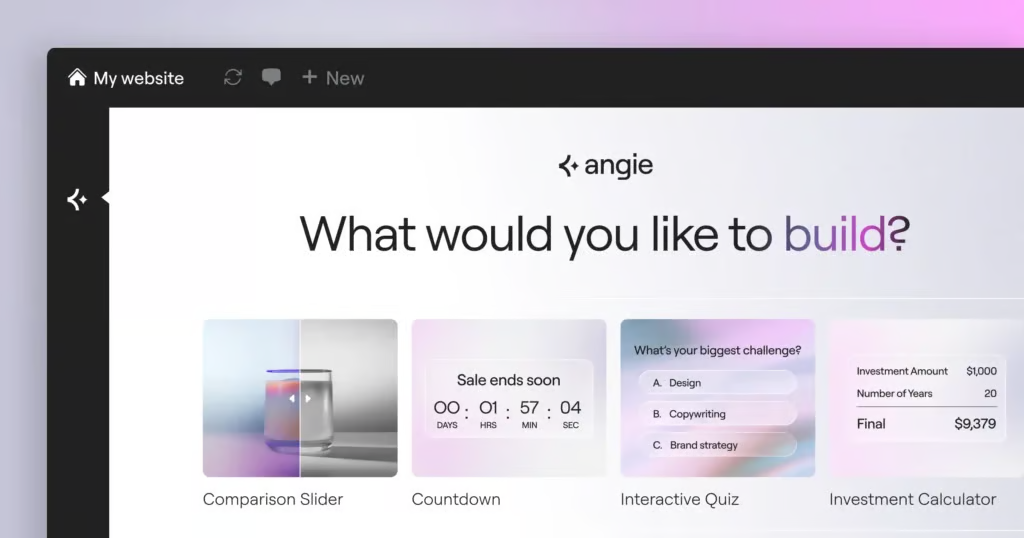
Image Source: Elementor
This approach gives you the benefits of Angie Agentic AI for WordPress AI-assisted development while keeping you in control. You can test and review what has been created before it becomes part of your live website, helping reduce the risk of unexpected changes or disruptions.
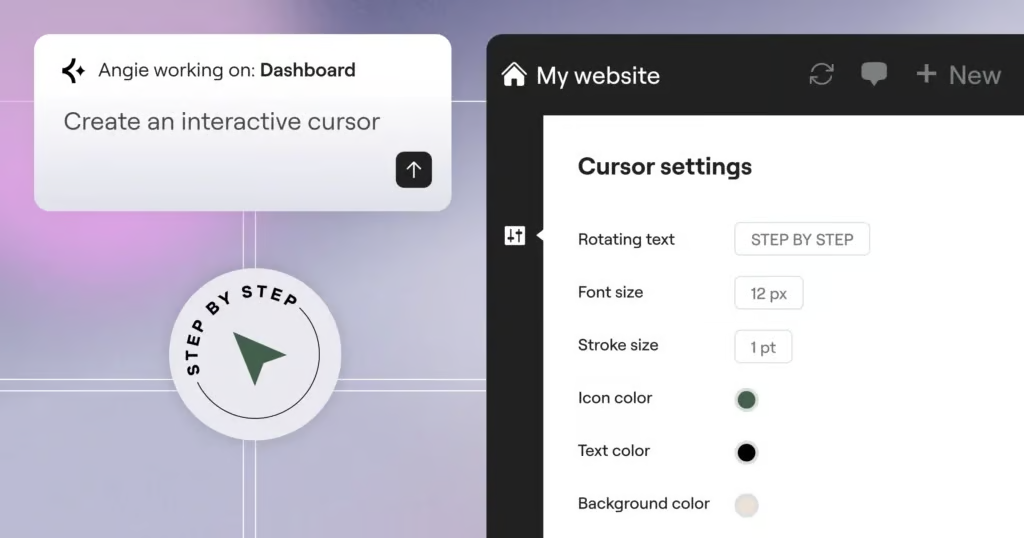
Image Source: Elementor
AI Isn’t Replacing Websites—It’s Changing How We Build Them
Angie Agentic AI for WordPress: There has been plenty of discussion about whether AI will make traditional websites less important.
But websites aren’t disappearing.
In many ways, the need for unique, engaging, fast, and high-performing websites is becoming even more important. Businesses still need a digital presence that communicates their brand, serves their customers, generates leads, sells products, and provides experiences that generic AI interfaces cannot fully replace.
What is changing is the way those websites are created.
AI can help developers and creators move from an idea to a working feature much faster. Instead of spending hours building every component manually, creators can describe what they need and use AI to accelerate development.
That’s where tools like Angie Code become particularly interesting.
The future of WordPress isn’t about choosing between AI and websites. It’s about using AI to build better websites, faster.
And with agentic AI becoming increasingly capable of understanding context, working with tools, and carrying out tasks, WordPress development is entering a new phase—one where creators can spend less time on repetitive development work and more time building distinctive digital experiences.
The Challenge of Building Custom Functionality in WordPress
Angie Agentic AI for WordPress: If you’ve ever tried to add something specific to your WordPress website—a custom widget, an interactive feature, or a tailored admin tool—you probably know that the hardest part isn’t finding a solution. It’s finding a solution that does exactly what you need.
WordPress plugins offer an incredible range of functionality, and for most common requirements, they work perfectly well. But what happens when your needs go beyond what an existing plugin can provide?
Maybe you need a particular layout, a unique interaction, or a feature that simply isn’t available yet. At that point, you typically have two choices: write the custom code yourself or hire a developer to build it for you.
For many website owners and creators, both options can be time-consuming, expensive, or technically challenging. As a result, you often end up compromising with a solution that is almost what you wanted rather than building the experience you actually envisioned.
Angie Code is designed to bridge that gap.
It gives you a practical way to create custom functionality for your WordPress website without having to build everything from scratch. Instead of forcing your idea to fit within the limitations of an existing plugin, you can create functionality that is tailored to your specific requirements.
What Is Angie Code?
With Angie Code, you can simply describe what you want to build, and Angie creates it for you.
Instead of spending time searching for the right plugin, working around its limitations, or changing your idea to fit an existing solution, you can explain your requirements in plain language and let Angie Code turn your vision into reality.
Angie Code isn’t a generic AI coding tool added to a WordPress workflow. It is built specifically for WordPress and Elementor, so it understands the environment you’re working in. There’s no complicated setup, no need to move code between different tools, and no guessing whether what you create will work with your website.
Because Angie works within your WordPress environment, the assets it generates can take your site’s existing context into account—including your theme settings, installed plugins, and content structure.
Unlike generic AI coding tools (Angie Agentic AI for WordPress) that generate code without knowing anything about your website, Angie Code is designed to understand the platform it’s building for. This helps you create ready-to-use assets that are designed to work within your WordPress and Elementor setup.
What Does Angie Code Offer?
- Production-ready assets tailored to your needs — Describe what you have in mind using simple language, and Angie Code can create a custom widget or code snippet based on your requirements. You don’t need to write the code yourself or settle for a generic solution that only partially fits your needs.
- Complete creative control — You can continue chatting with Angie to refine and improve the result, or open it in the Elementor Editor and make visual adjustments yourself. Change the styling, layout, and behavior using prompts or Elementor’s visual editing tools—whichever workflow works best for you.
With Angie Code (Angie Agentic AI for WordPress) , you don’t have to choose between AI-powered creation and hands-on design control. You can use both to build and refine your WordPress website exactly the way you want.
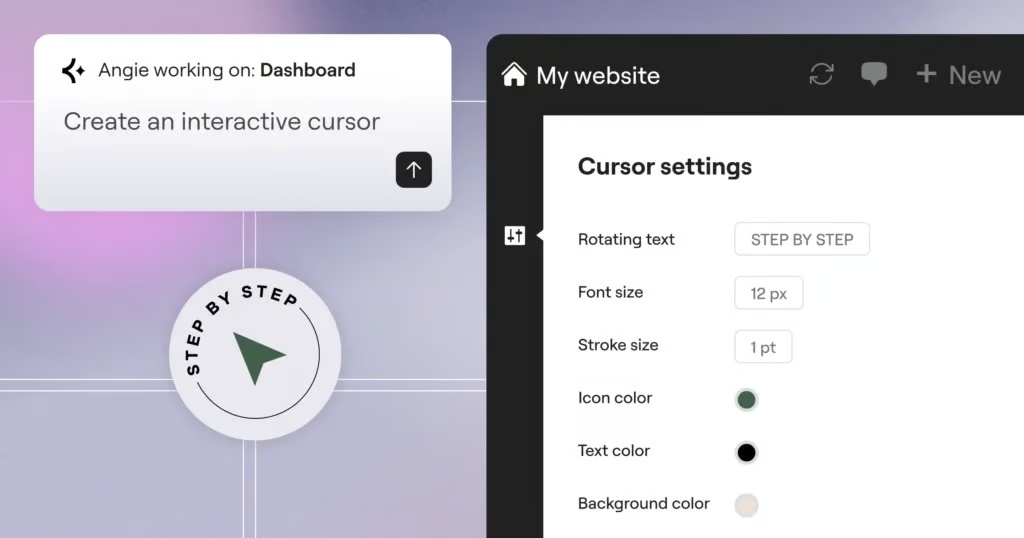
Image Source: Elementor
What Can You Build With Angie Code?
Angie Code goes far beyond creating a single type of website component. It allows you to build and customize a wide range of WordPress assets that would traditionally require plugins, custom development, or help from a developer.
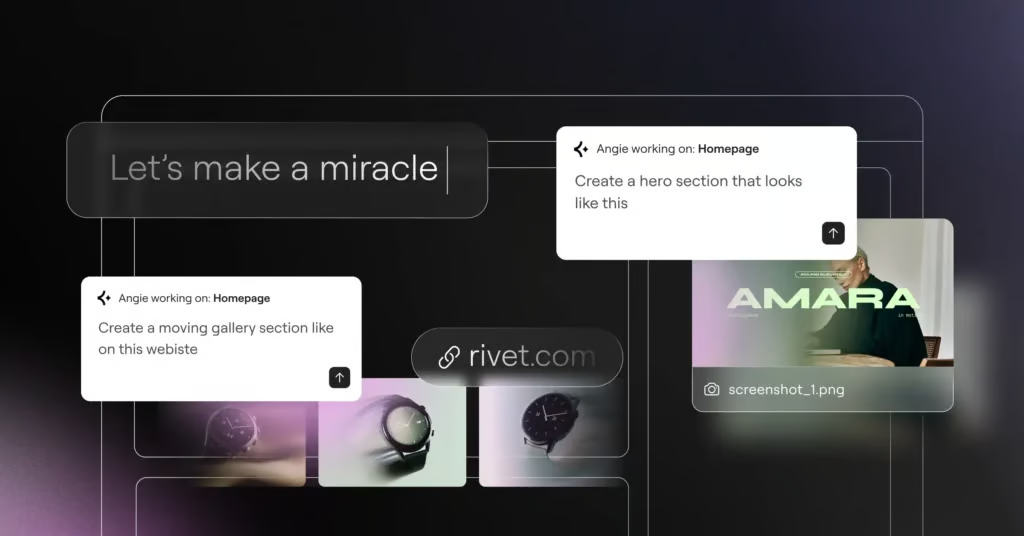
Image Source: Elementor
1. Elementor Widgets
Create custom Elementor widgets from scratch or enhance existing widgets with additional controls and functionality. You can work with native Elementor Editor controls to build exactly what your website needs.
For example, you can create:
- Dynamic pricing tables
- Interactive sliders
- Testimonial carousels
- Custom content blocks
- Interactive product sections
- And much more
If you can define the functionality you need, Angie Code can help turn the idea into a custom Elementor component.
2. WordPress Admin Snippets
Customize the WordPress dashboard and administrative experience without relying entirely on third-party plugins.
You can create custom admin functionality such as:
- Dashboard widgets
- Custom user roles
- Dedicated settings screens
- Admin customization
- Site management tools
This gives you greater control over how WordPress works behind the scenes.
3. Interactive Website Snippets
Add custom interactions and animations to your website using CSS, JavaScript, and PHP.
Angie Code can help create experiences such as:
- Custom mouse cursors
- Scroll-triggered animations
- Interactive buttons
- Dynamic content effects
- Custom hover interactions
- Immersive website behaviors
These custom snippets can help you create experiences that go beyond the standard functionality available through conventional WordPress plugins.
4. Visual Apps
You can also use Angie Code to build functional front-end applications directly into your WordPress website.
For example, you could create:
- Games for custom 404 pages
- Trivia and quiz experiences
- Calculators
- Interactive tools
- Product selectors
- Custom engagement experiences
Instead of simply displaying static content, these applications can give visitors something interactive to explore and use.
5. Custom Post Types and Fields
Create custom post types and fields to structure and manage information according to your website’s specific requirements.
This allows you to:
- Define custom content structures
- Create custom fields
- Store site-specific information
- Display structured data
- Organize content more efficiently
With this approach, you can build more flexible WordPress websites without depending entirely on third-party field or content-management plugins.
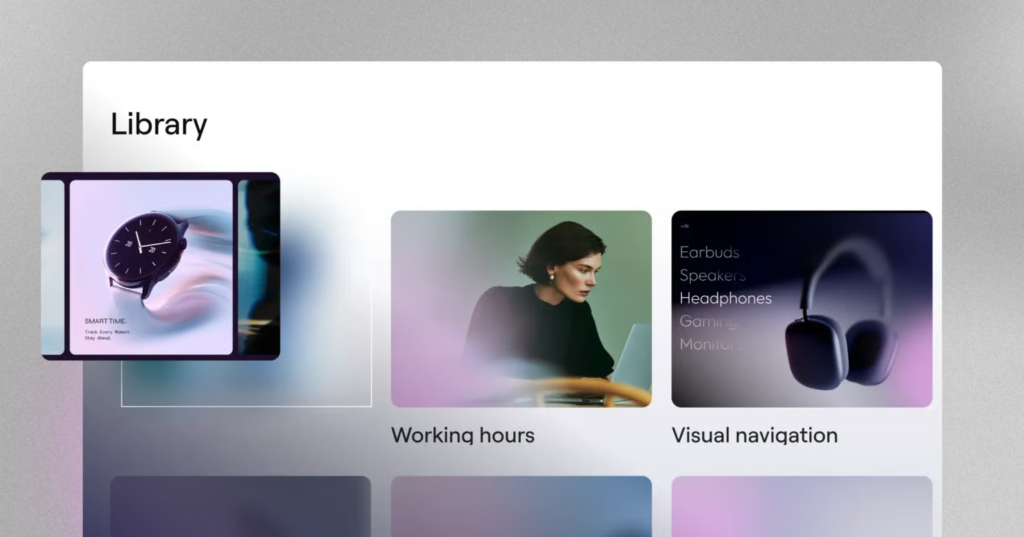
Image Source: Elementor
Build More With WordPress
The biggest advantage of Angie Code is flexibility. Instead of searching for a plugin for every new requirement, you can use custom code to create functionality specifically designed for your website.
From Elementor widgets and WordPress admin tools to interactive experiences, visual applications, and custom content structures, Angie Code gives you more ways to turn your WordPress ideas into working features.
How Angie Code Works
Getting started with Angie Code is simple. Open Angie Code from the Elementor Editor, the WordPress top bar, or the WordPress menu, then describe what you want to create. Angie Code turns your instructions into a working asset.
You can make your request as detailed or as general as you like.
Multimodal Input
You don’t have to rely on text alone. Angie Code supports three different ways to provide a reference:
- Describe it in words: Use a natural-language prompt to explain what you want to build.
- Upload a screenshot: Provide a visual reference and let Angie understand the design, layout, and elements.
- Paste a URL: Share an existing webpage or element that you want to use as inspiration or reference.
This gives you the flexibility to start with whatever form your idea takes—whether it’s something you have in mind, something you’ve seen on a screen, or an existing website.
Need some inspiration? Explore Angie’s prompt library for ready-made prompts, or customize an existing prompt to match your specific requirements.
Iterate and Refine
Your first result doesn’t have to be perfect.
Simply continue the conversation and tell Angie what you’d like to change. You can ask it to adjust the layout, modify the design, change the content, or refine specific elements.
Prefer to make the changes yourself? You can switch to the Elementor Editor at any time to visually fine-tune the styling, layout, and behavior.
You stay in control throughout the process.
Test Before You Publish
Before anything goes live, Angie Code runs what it creates in a test-mode environment—an isolated sandbox designed to keep your live website safe.
This allows you to preview the result, test how it works, and make any necessary adjustments before publishing.
Once everything looks and works the way you want, you can confidently publish it to your website.

Sikheya Digital Hub is a digital marketing institute and agency helping students, entrepreneurs and businesses learn and implement digital marketing, AI, social media marketing, SEO and online growth strategies.
Expertise
Digital Marketing
SEO
Social Media Marketing
Meta Ads
Google Ads
AI & Automation
Content Marketing